




Overview
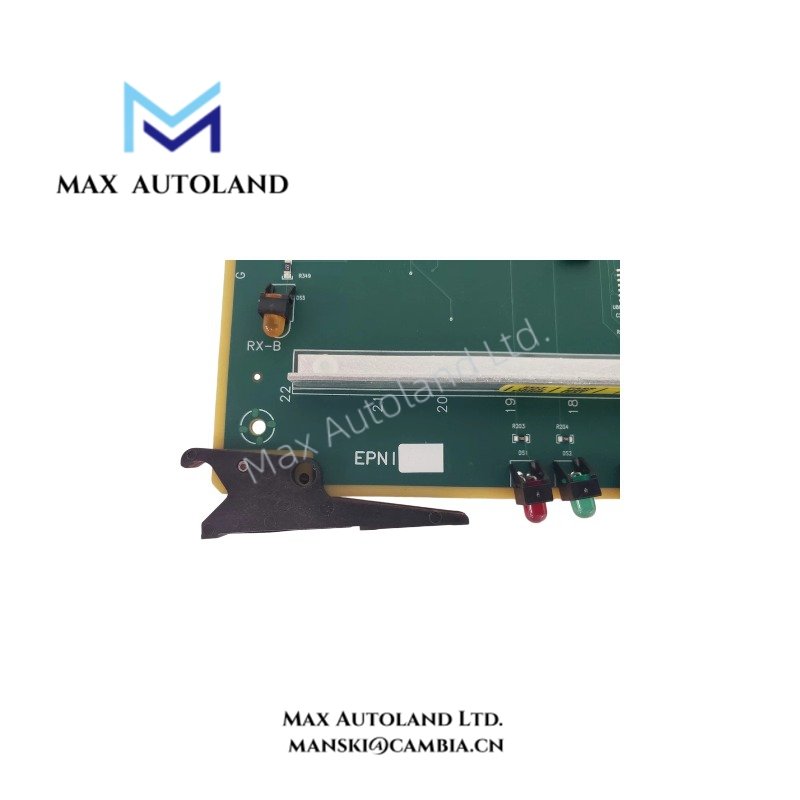
The Honeywell 51306673-100, also cataloged as the 51306673-100 EPNI / ENB Communication Interface Card, operates as a dedicated hardware component for Ethernet network interface execution within Honeywell TDC 3000 / TPS-related systems.
Hardware Specifications
| Parameter | Specification |
|---|---|
| Model | 51306673-100 |
| Brand | Honeywell |
| Origin | USA (supplier-listed; verify unit label) |
| Weight | Approx. 0.64 kg (1.41 lbs) |
| Dimensions | Standard Honeywell system card slot profile |
| Operating Temp | 0 deg C to 60 deg C (standard industrial chassis limits) |
| Power Consumption | Derived from system backplane bus limits |
| Product Type | EPNI / ENB Communication Interface Card |
| Hardware Revision | HWR-D |
| Firmware Revision | FW-B |
| Communication Function | Ethernet network interface |
| Application | Industrial control system communication |
| System Association | Honeywell TDC 3000 / TPS-related systems |
| Network Interface | Ethernet |
Channel-to-Channel Isolation and DCS Protocol Routing
Designed explicitly for legacy DCS platforms, the interface card executes high-speed data exchanges across industrial network infrastructures while maintaining strict signal integrity. Honeywell control systems require precise channel-to-channel isolation to eliminate ground loops and prevent electromagnetic interference from disrupting distributed processing nodes. Furthermore, the embedded firmware FW-B manages protocol translation and packet routing across the Ethernet network bus, ensuring deterministic transmission rates between control equipment and supervisory operator stations.
Frequently Asked Questions
Q: What is the hardware revision identifier associated with this communication card?
A: The hardware revision is identified as HWR-D, while the firmware version operates on FW-B.
Q: Can this communication interface card be installed in any available system slot?
A: No, it requires a compatible system card slot designed specifically for TDC 3000 or TPS-related chassis architectures. Always verify chassis backplane power constraints prior to insertion.
Q: Does this module support hot-swapping during active process operations?
A: Standard industrial practice for legacy chassis environments dictates powering down the target slot or following approved system-specific maintenance procedures to prevent bus corruption.
Field Installation Guidelines
- Verify that the system chassis power is disabled before inserting or extracting the communication module to prevent backplane pin damage.
- Inspect the card edge connectors for oxidation or debris, cleaning with an approved electronic contact cleaner if necessary.
- Align the card precisely with the designated guide rails of the compatible system slot, applying firm, even pressure until fully seated.
- Secure any retention screws or locking latches to maintain mechanical stability and ensure proper chassis ground continuity.
- Confirm that network cabling is properly shielded and routed away from high-voltage AC power lines to minimize signal degradation.





Reviews
There are no reviews yet.