


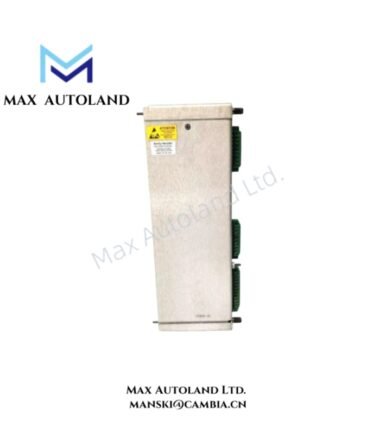
Overview
Hardware Specifications
| Parameter | Specification |
|---|---|
| Model | 130739-01 |
| Base Model | 3300/55 |
| Brand | Bently Nevada |
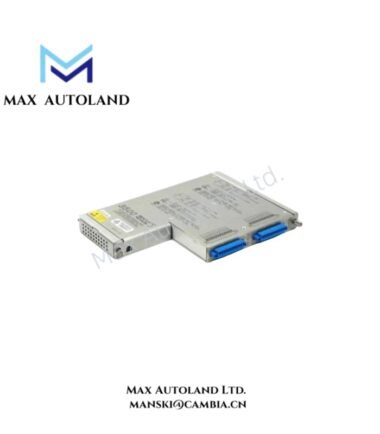
| Module Type | Dual Velocity Monitor |
| Monitoring Channels | 2 |
| Input Type | Velocity or seismic vibration transducer signals |
| Measurement Function | Casing vibration monitoring |
| Signal Processing | Continuous velocity vibration monitoring |
| Alarm Function | Configurable monitoring and alarm functions |
| Operating Temp | -30 deg C to +65 deg C |
| Storage Temp | -40 deg C to +85 deg C |
| Relative Humidity | Up to 95%, non-condensing |
Velocity Vibration Monitoring
The 3300/55 monitor uses two independent channels to measure vibration velocity. Each channel accepts a signal from a compatible velocity or seismic transducer.
The monitor then processes the incoming signal and compares the measured vibration with the configured monitoring conditions. As a result, the system can track casing vibration through two separate measurement channels.
In addition, the monitor supports alarm and status functions within the 3300 monitoring system. These functions depend on the configured channel settings and the associated rack hardware.
The 130739-01 does not use an eddy-current probe input for its primary measurement function. Therefore, technicians should not apply eddy-current gap-voltage checks to this module unless the installed system documentation specifically requires them.
Frequently Asked Questions
Q: How many vibration channels does the 130739-01 provide?
A: The 130739-01 provides two independent velocity monitoring channels through the 3300/55 Dual Velocity Monitor.
Q: What type of input does the 130739-01 use?
A: The module accepts signals from compatible velocity or seismic vibration transducers for casing vibration monitoring.
Q: Does the supplied data specify power consumption?
A: No. The supplied data does not provide a power-consumption value. Therefore, use the applicable 3300 system documentation to determine the installed module load.
Field Installation Guidelines
Install the module in the designated 3300 monitoring rack position. Then follow the applicable rack configuration and wiring documentation.
Next, connect each vibration transducer to its assigned channel. Use suitable instrumentation cable for the installed transducer and keep signal wiring away from high-current power cables where practical.
For shielded signal cables, follow the 3300 system grounding practice. In particular, avoid unnecessary multiple shield connections that can create ground-loop paths.
Before starting the monitoring function, check the transducer polarity, channel assignment, connector seating, and signal continuity. Also verify the configured channel scaling against the installed transducer characteristics.
Finally, confirm the alarm settings before placing the channel into normal operation. If the installation uses a different transducer or signal interface, check the specific system documentation before applying any additional electrical tests.




Reviews
There are no reviews yet.