


Overview
Hardware Specifications
| Parameter | Specification |
|---|---|
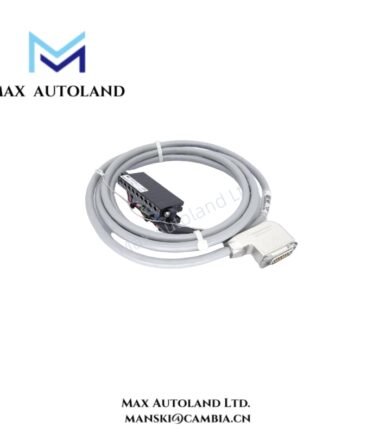
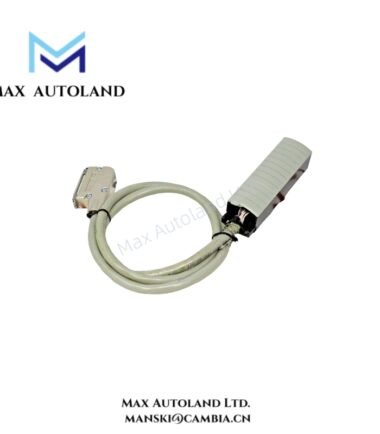
| Model | YCB301-C100 |
| Base Model | YCB301 |
| Brand | Yokogawa |
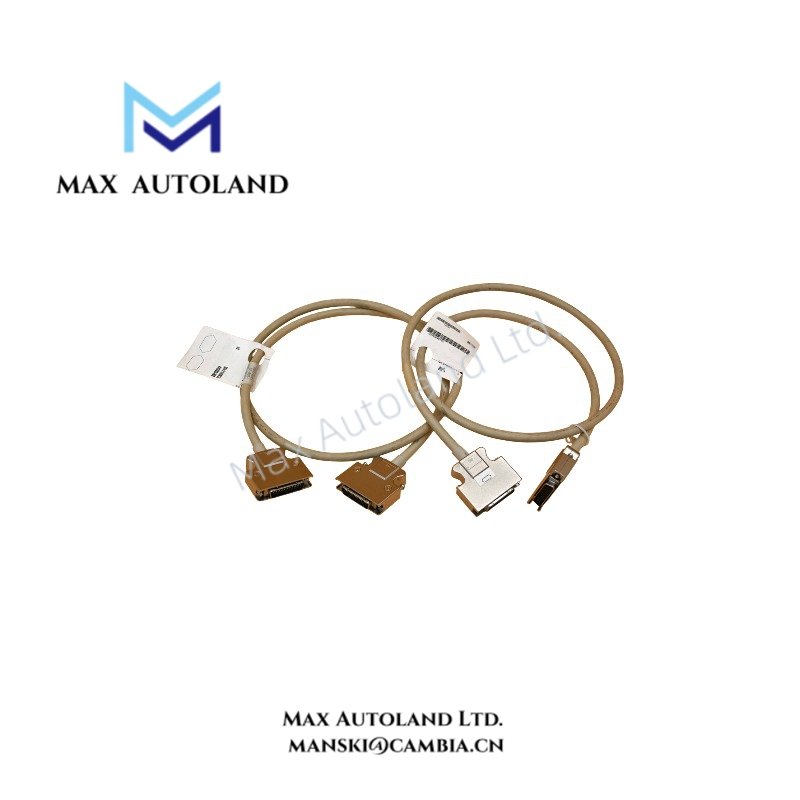
| Product Type | ESB Bus Cable |
| Connector Configuration | 36-pin to 36-pin |
| Cable Length | 1 m (100 cm) |
| Suffix Code | C100 |
| Interface | ESB (Enhanced Serial Bus) |
| Application | ESB bus node interconnection |
| Compatibility | Yokogawa CENTUM VP, FIO modules, and STARDOM FCN/FCN-RTU controllers, subject to system configuration |
| Dimensions | Cable length: 1 m; other dimensions not specified |
| Signal Function | ESB bus communication connection |
ESB Bus Interface and Signal Transmission
The YCB301-C100 provides a physical cable path between compatible ESB interfaces. Its 36-pin connector configuration supports the corresponding system connection points.
In a Yokogawa control system, the cable connects designated ESB bus interfaces according to the equipment configuration. Therefore, technicians should verify connector orientation, interface assignment, and cable routing before installation.
The cable itself does not perform signal processing, protocol conversion, or independent control operations. Instead, it provides the physical connection required for communication between compatible hardware nodes.
Frequently Asked Questions (FAQ)
Q: What is the cable length of the Yokogawa YCB301-C100?
A: The C100 suffix identifies a 1 m cable length.
Q: What connector configuration does the YCB301-C100 use?
A: The specified configuration is 36-pin to 36-pin. Verify the connector gender and orientation against the equipment interface before installation.
Q: Can the YCB301-C100 connect any Yokogawa ESB modules?
A: No universal compatibility is established. Confirm the required cable model against the applicable Yokogawa system configuration and hardware documentation.
Field Installation Guidelines
- Confirm that both connection points support the YCB301 ESB bus cable configuration.
- Inspect the 36-pin connectors for damaged contacts, contamination, or mechanical deformation.
- Align each connector with its corresponding interface before engagement. Avoid applying excessive insertion force.
- Route the cable without sharp bends, crushing, or tension on the connector housings.
- Keep the cable separated from high-voltage power conductors where practical to reduce electrical interference.
- Secure the cable routing to prevent vibration or accidental disconnection.
- After installation, verify connector engagement and check the system communication status through the applicable Yokogawa diagnostic functions.
YOKOGAWA Top Products
| CPU | Power Supply and Battery | Rack |
| SCP451-51 | S9562FA | A1BD5D-06 |
| CP461-10 S1 | S9564FA | A1BR4D-05 |
| CP330D S3 | S9345FA | AKB337-M020 |
| CP461-50 S2 | S9548FA | NFBU200-015 |
| SCP451-53 | S9260DE-01 | NFBU200-S10 |
| SCP401-11 | S9971DB-0 | SNT411-13 |
| S2CP471-01 | S9681DB | SED2D-01 |
| CP451-51 | S9841DA | NFAF135-S00 |
| CP471-01 | SPW484-53 | NFAI835-S50 |
| CP461-53 | NFPW442-50 | NFAI543-H00 |
Customers Also Viewed
| Bently Nevada | ABB | GE Fanuc | Honeywell | Invensys |
|---|---|---|---|---|
| 330101-00-40-05-02-00 | PM591-2ETH | IS200ECTBG2A | CC-TDIL11 | FBM223 |
| 330101-00-40-10-02-00 | PM595-4ETH-F | IS200EPCTG1AZZ | CC-IP0101 | FBM207b |
| 330101-00-40-10-02-05 | DX522 | IS200VRTDH1DAA | CC-PAIX01 | FBM206 |
| 330101-00-43-15-02-05 | AX521 | IS200ERIOH1ACB | CC-TCNT01 | FBM237 |
| 330101-00-52-15-02-05 | AX522 | IS200ERQCH1A | CC-TAOX01 | FBM217 |
| 330101-00-55-05-02-05 | DI524 | IS200EACFG1BAA | CC-PDIS01 | FBM215 |
| 330101-00-55-10-02-05 | DI561 | IS200TVIBH2B | CC-PAIX01 | FBM211 |
| 330101-00-67-10-12-CN | DI562 | IS415UCVGH1A | CC-PAIH01 | FBM207 |
| 330101-00-75-15-02-05 | DI571 | IS200JPDDG1AAA | CC-PUIO31 | FBM223 |
| 330101-00-79-15-02-05 | DI581-S | IS200SPROH1ADD | CC-TAIX51 | FBM231 |





Reviews
There are no reviews yet.