



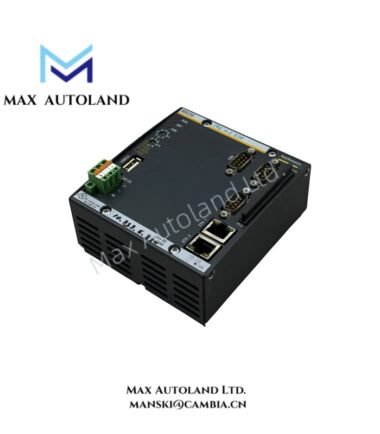
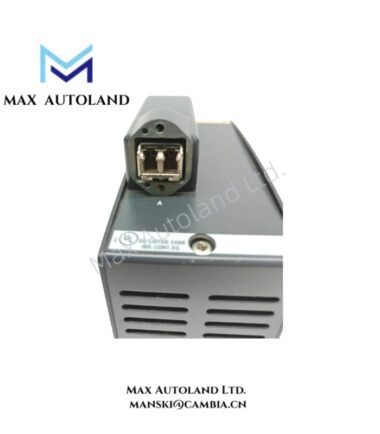
Overview
Hardware Specifications
| Parameter | Specification |
|---|---|
| Model | BS208 |
| Brand | Bachmann electronic |
| Product Type | 8-Slot Base Rack / Backplane |
| System Compatibility | Bachmann M1 Automation System |
| Number of Module Slots | 8 |
| Origin | Austria (provided product data; verify against nameplate) |
| Core Function | Mechanical module support and electrical interconnection |
Backplane Bus and Module Integration
The BS208 serves as the common mounting and interconnection structure for compatible M1 system modules. Slot compatibility, bus communication characteristics, and power distribution limits must be checked against the manufacturer’s documentation before configuring the rack.
The eight-slot capacity defines the available module positions. It does not independently establish the supported CPU configuration, permissible power load, or hot-swap capability.
Frequently Asked Questions
Q: Does the BS208 support hot-swapping of installed modules?
A: Hot-swapping capability is not confirmed by the supplied specifications. Verify the permitted insertion and removal procedure for each module type before performing maintenance.
Q: How should the backplane power load be calculated?
A: Determine the current requirements of the installed modules and compare their combined load with the documented power supply and backplane limits. Do not assume that all eight slots can operate at maximum load simultaneously.
Q: Can all Bachmann M1 modules be installed in the BS208?
A: The eight-slot capacity does not establish universal module compatibility. Check the module type, slot requirements, connector arrangement, and system documentation before installation.
Field Installation Guidelines
- Verify the BS208 model and connector condition before installation.
- Confirm the specified mounting method and required clearances using the manufacturer’s mechanical drawing.
- Isolate the relevant power sources before installing or removing modules unless an approved live-service procedure explicitly permits otherwise.
- Check module orientation and connector alignment before insertion. Do not force modules into their slots.
- Verify power supply capacity against the combined load of the installed modules.
- Route power and signal wiring according to the applicable cabinet design. Maintain appropriate separation between signal and power conductors.
- Apply protective grounding and cable shielding practices appropriate to the installed system. Follow the manufacturer’s grounding instructions.
- Inspect the assembled rack and verify module recognition and system status before returning the equipment to service.
Bachmann Top Products
Customers Also Viewed
| Bently Nevada | ABB | Yokogawa | Woodward | Schneider |
| 133835-02 | SPDSM04 | CP451-10 | 5463-785 | 140CPU65150 |
| 135321-01 | SPIEET800 | CP461 | 5437-672 | BMEXBP0400 |
| 135322-01 | SPINIET800 | CP461-50 | 9907-175 | 140CPU67160 |
| 136751-01 | SPNLK01 | CP451-11 | 5466-355 | 170FNT11001 |
| 136751-02 | SPSED01 | CP701 S1 | 5466-257 | 170ADO34000 |
| 184139-10 | SPSEM11 | CP345 S1 | 5466-1049 | 170ADM35010 |
| 82362-01 | SPSET01 | SCP461-11 S1 | 5501-381 | 170ADI34000 |
| 84134-01 | SPTKM01 | CP451-10 S2 | 8200-177 | 140ARI03010 |
| 87900-02 | SPTPS02 | CP401-10 | 8200-205 | BMXCPS4002 |
| 89998-01 | SPTPS13 | NFCP100-S00 | 9907-029 | 140CRP93200 |








Reviews
There are no reviews yet.